ChatGPT vs an AI workspace: when chat isn't enough
A chat assistant is brilliant at answers. Work often needs more: a result in your files, a record, and a way back. When to stay with chat, when to add a workspace, and one job done both ways.
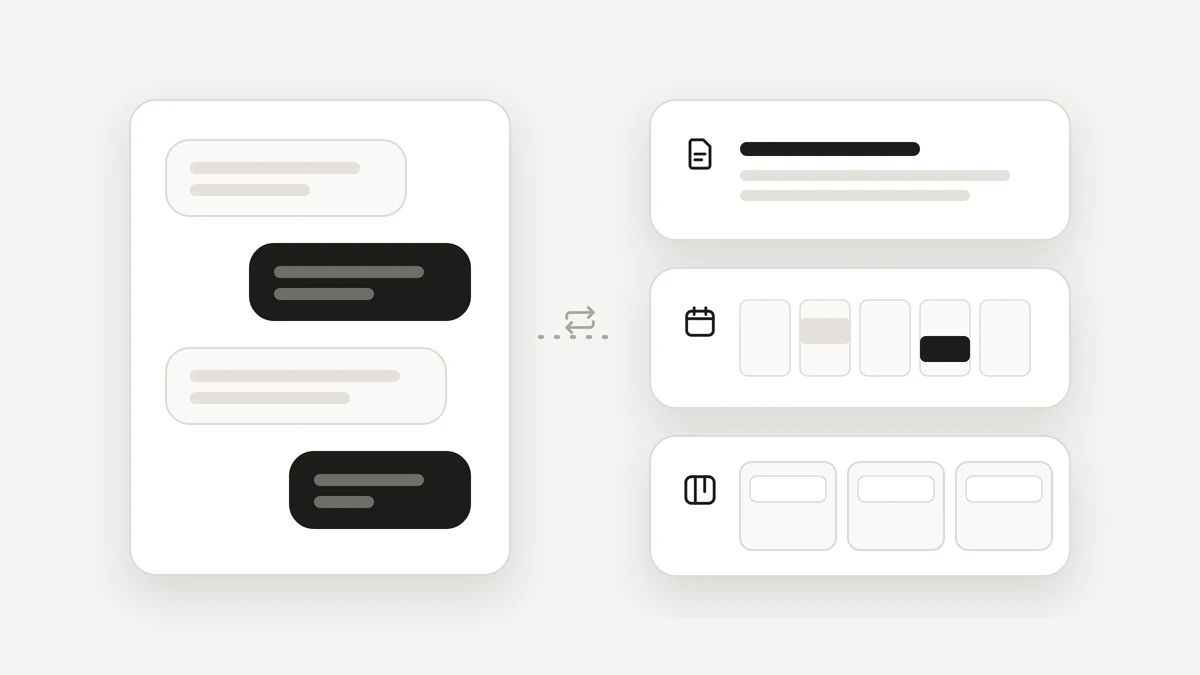
ChatGPT is built around a conversation with an AI assistant, and for a lot of work that is exactly enough. This post is a fair look at where a chat assistant is all you need, how to tell when you have outgrown chat, and what changes in an AI workspace such as Atlas. It ends with one job done both ways.
When is a chat assistant all you need?
More often than you might think. A chat assistant is simple and fast. You ask, it answers, and you decide what to do with the answer. It is a good fit for:
- Quick answers to general questions.
- Brainstorming ideas, names and options.
- Writing help: a first draft, a tidier paragraph, a different tone.
- Learning something new, one question at a time.
If that is most of what you do, you may already have the right tool, and you may not need anything more. Many chat products also add connections to other tools. What yours offers varies, so check its current features before you decide.
What are the signs you have outgrown chat?
Look for patterns, not one-off annoyances. Four signs show up again and again.
- Copy-paste trips. You take an answer from the conversation and carry it into a document, a spreadsheet or an email by hand, several times a day.
- The same request every week. You type the same instruction every Friday or every morning, and want it to simply happen.
- Work that ends in other people's inboxes. The result is an email or an invite to someone else, and you want to see exactly what will be sent before it goes.
- No record and no way back. You want a list of what was done, and a button to undo the small things.
One sign on its own is no reason to switch. Two or three together is the point where a different shape of tool starts to save you real time.
What changes in an AI workspace?
An AI workspace is built around your work instead of around a conversation. In Atlas, Docs, Notebook, Sheets, Boards, Tasks, Calendar and Gmail sit in one place, and agents work inside them.
- The result lands in your files. An agent drafts in a document, adds a row to a sheet or posts an update on a board card, and you see what changed.
- Jobs repeat without you. You describe a job once, in plain words. It runs on a schedule, even when the page is closed.
- Approvals before anything leaves. Email to anyone else and invites with guests ask first. The card shows what will be sent, to whom, in the words it will use.
- A record and a way back. Activity lists what Atlas did and what you approved, with Undo next to what can be undone.
That is the whole difference. It is a different design for a different kind of job, not a better answer to the same question. For the longer version, read an AI workspace, not another chatbot.
What does one job look like done both ways?
The job: plan Saturday with Sam. Find a time, pick a place for lunch, write it up and send it.
In a chat assistant. The exact steps depend on the product and how it is connected, so this is the common case:
- Ask for lunch ideas near you and a sensible order for the afternoon.
- Open your calendar and find a time that works.
- Go back to the chat and ask for a short message to Sam.
- Copy the message into your email, add the time and place, and send it.
- Create the calendar event yourself.
That is good use of a chat. The thinking is quick, and the steps in between depend on what your assistant is connected to. If your assistant is connected to your calendar and mail, some of them may shrink. Check what yours offers.
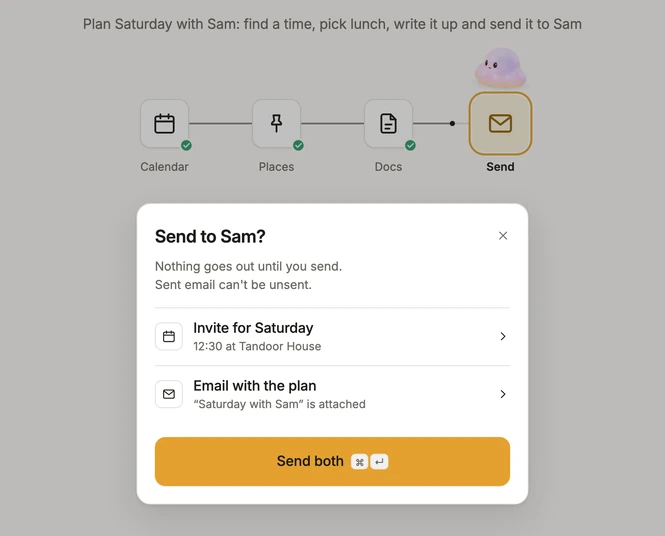
In Atlas. In Agent mode you type one line, such as: plan Saturday with Sam, lunch somewhere close, nothing before 11.
- Atlas reads your calendar, which it does on its own, and finds a time.
- It suggests a place, drafts an invite and writes the email to Sam.
- The last step shows a card, Send to Sam, listing the invite and the email, with the button Send both. The card says nothing goes out until you send, and you can open either item to read it first.
- You send both. Nothing reaches Sam before that.
- Activity records what you approved. The email and the invite have reached Sam, which is why they asked first.
Can you use both?
Yes, and it is a sensible way to work. Use a chat assistant to think, brainstorm and write. Use a workspace for the jobs that end in your files, your calendar and other people's inboxes. They do different jobs.
If you want the side-by-side view, see Atlas as a ChatGPT alternative that does the work. If you want to see the control side, the four levels on the Trust page list exactly what Atlas does alone and what it asks about. When you are ready to try it, join the beta.
Questions
Is an AI workspace a ChatGPT replacement?
Not necessarily. ChatGPT is built around a conversation with an AI assistant, and that is the right tool for quick answers, brainstorming, writing help and learning. An AI workspace is built so the result lands in your own files, calendar and inbox. You can use both.
When should I move from a chat assistant to an AI workspace?
When you keep carrying answers between tools, repeating the same request each week, or sending messages to other people and wanting a record and a way back. If a chat covers your needs, stay with it.
What is the difference between a chatbot and an AI workspace?
A chatbot is built around a conversation. An AI workspace is built around your work: documents, spreadsheets, boards, calendar and mail, with agents that work inside them and ask before anything reaches other people.
Do I need both?
You may not need both. If you already use ChatGPT for thinking and writing, you can keep doing that and use a workspace for jobs that end in files, calendars and inboxes.