

Agents
Build an agent in a sentence.
Describe a job once. Atlas turns it into an agent with a name, a picture and a schedule, and it does the work while you do something else.
Build
Say it the way you would say it to a person.
Tell Atlas what you want done, for example, "Every Friday, chase the invoices I have not been paid for." Atlas fills in most of the setup as you talk and asks only what it cannot guess, then tries it out before anything runs for real.
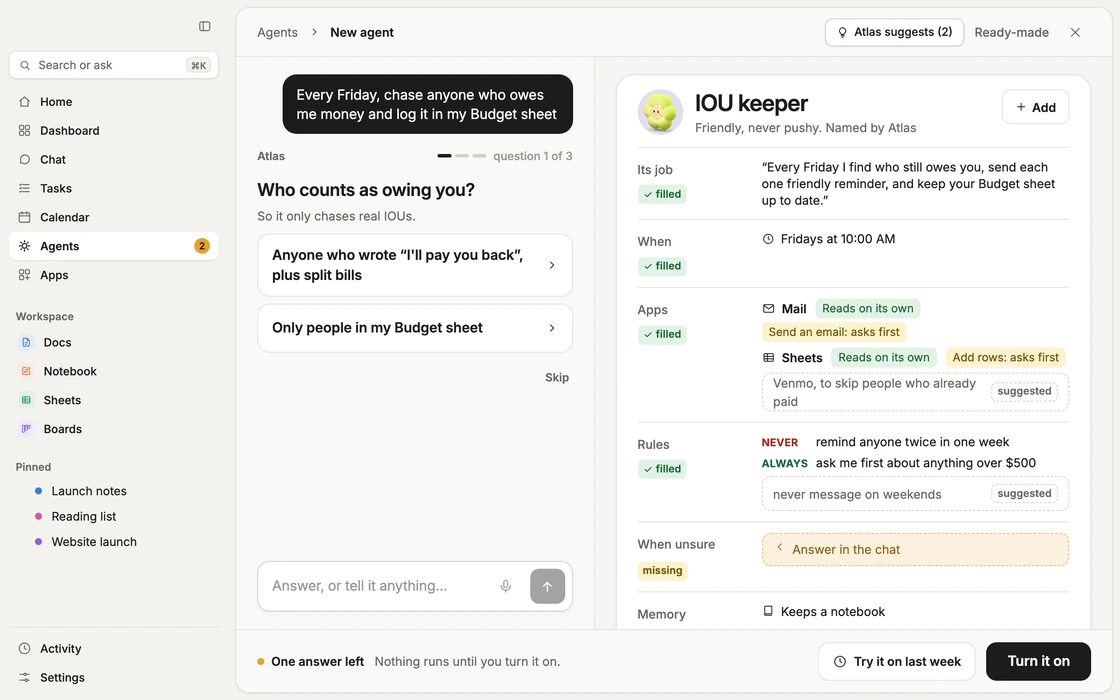
- Its job, when it runs and which apps it usesFilled in as you talk, so you answer questions, not forms.
- Ready to tryA checklist shows what is ready. Nothing runs until you turn it on.
Schedules
It runs when it should.
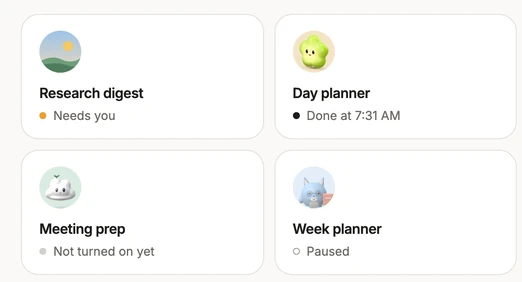
Every morning at 8, every evening at 9, every Friday, or when something arrives. Each card on the Agents screen shows what an agent is doing and when it runs next, and you can pause one or stop them all.
Agent mode
Ask. Run. Done.
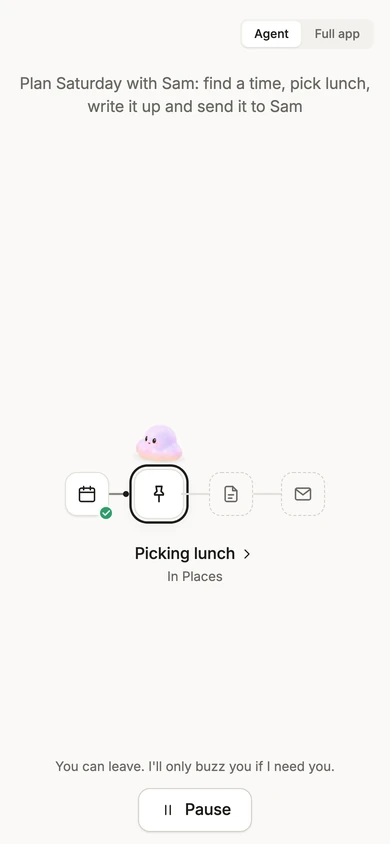
Agent mode is Atlas with everything else put away. One box, one job, and a clear picture of each step until it is done. Switch between Agent and Full app any time.
- 1
Ask
Say what you want. One box, typed or spoken.

- 2
Run
Atlas plans it and works through each step, with the steps shown.
- 3
Done
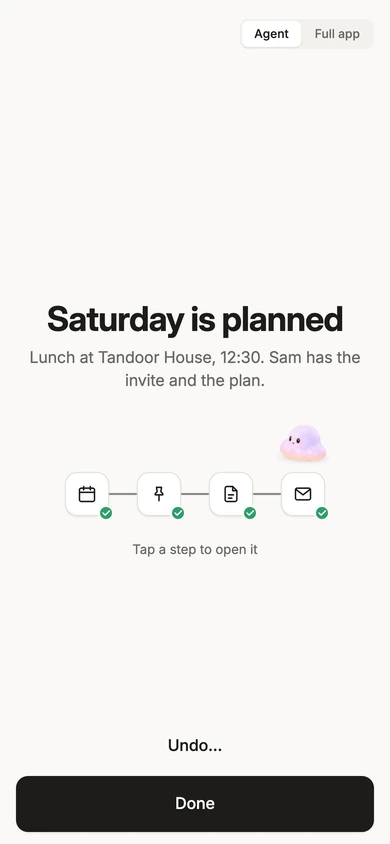
A short summary of what happened, and Undo for what can be undone.
Approvals
An agent can prepare. You decide.
When a step would reach someone else or change something that cannot be changed back, the agent stops and shows you exactly what it will do. You say Approve or Not now. If you say nothing, nothing happens. The one exception is a standing yes that you set yourself, with limits (see Permissions on the Trust page).
- Plain words, not codesThe card says what will change or be sent, to whom, in the words it will use.
- A yes is signedYour approval is checked by the server before the step can run. An agent cannot approve itself.

Every agent gets a face.
Pick one of the five buddies or upload your own picture, and your agents show up in your contacts, ready to message.
 Clover Plush
 Puddle
 Lumi
 Leafy
 Clover Jelly
Receipts, Undo and permissions.
- Every run leaves a receipt, and small changes can be undone. How receipts and Undo work
- You set what each agent may do, and a standing yes has limits. How permissions work