

Now in private beta · Join the waitlistNow in private beta · Join the waitlist
Atlas: The AI workspace
Not another chatbot. Write, plan, organise and automate in one place, with docs, sheets, boards, email, apps and agents working together.
The next generation of AI.





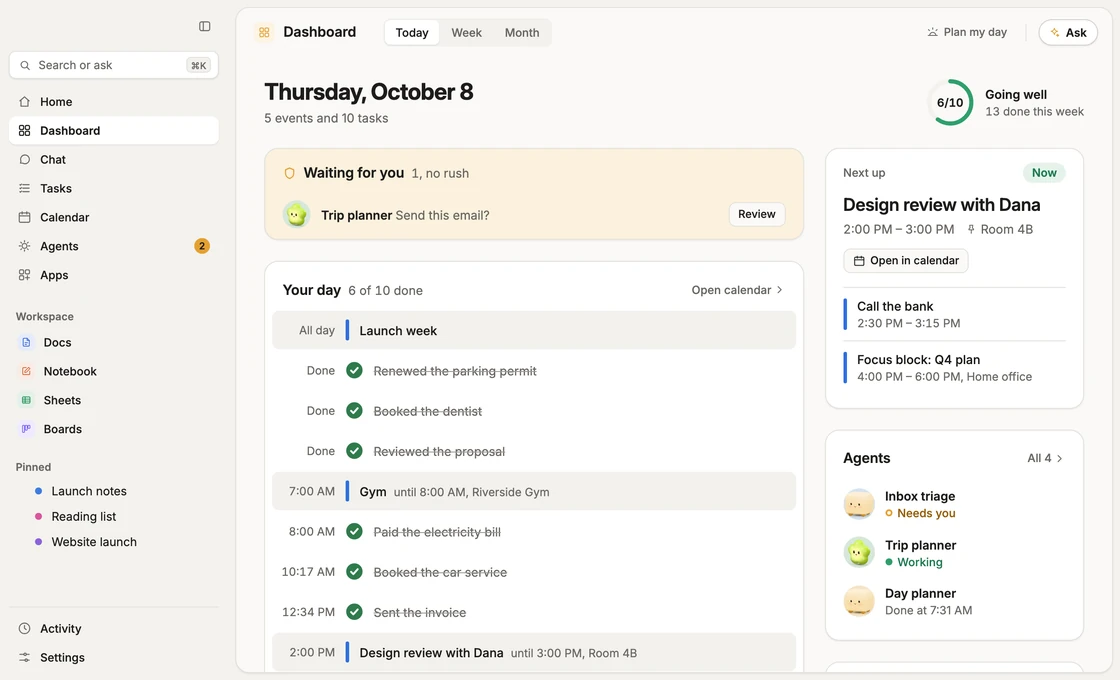
See Atlas at work.
Real screens from the app, one at a time.


Your secrets never reach the AI.
Atlas Shield swaps cards, passwords and bank numbers, and, if you choose, names and contacts, for stand-ins before anything goes to the model, then puts them back only for you.
Atlas Shield hides private details before the AI sees them.
- Hidden before it leavesCards, bank numbers, SSNs, passwords, keys and codes are swapped for stand-ins before any text reaches the model. Higher levels hide email addresses, phone numbers, addresses and names too.
- Real values stay on our sideThe model only ever works with the stand-ins. Atlas rebuilds the swap for each step and never stores it.
- Swapped back only for youWhat you read, and what you approve, shows the real values. A card or password is never written back into a link, and Atlas never saves one.
Works with Google Calendar, Gmail and Drive.
Connect your Google account and your agents can work in the tools you already use. You choose what to connect and can disconnect any time in Settings.
Google Calendar
See your week, plan tasks into it, and add or move your own events. Invites with guests ask first.
Gmail
Atlas reads the mail you allow, drafts replies and turns mail into tasks.
Google Drive
Pick the files Atlas may open. It reads what you choose and nothing else.
Everything in one workspace.
No more tabs for every little job. Your documents, plans, tasks, mail and agents sit side by side and know about each other.
Agents that do the work.
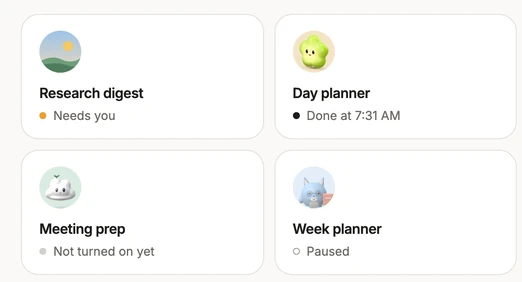
An agent is a job you describe once. It gets a name, a picture and a schedule, then does the legwork while you do something else.
- Build one in a sentenceSay what you want done. Atlas fills in most of it and asks only what it cannot guess.
- Runs on its own scheduleEvery morning, every Friday, or when something arrives.
- Works across your appsDocs, Sheets, Boards, files, Calendar and Gmail, in one run.
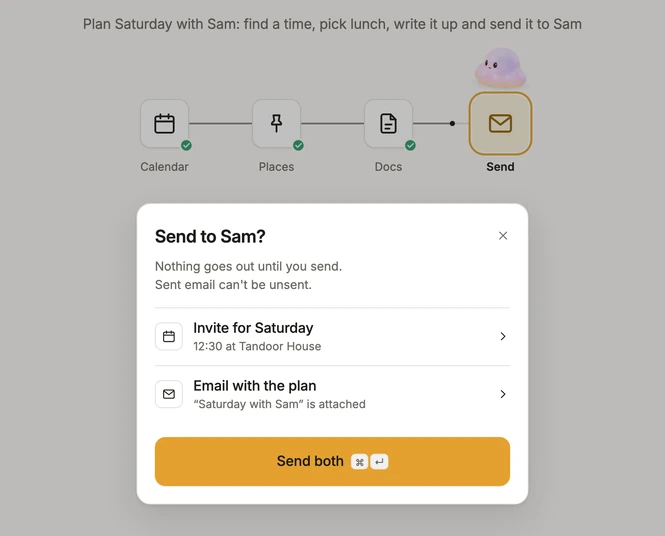
From one sentence to done.
What happens after you ask, in the order it happens.
- You askOne sentence, the way you would text a friend.
- Agents act across your appsCalendar, places, docs and mail, with each step shown as it goes.
- You approveAnything that leaves waits on a card for your yes, unless you have given a standing one. A card you do not answer closes after 10 minutes, with nothing sent.
- You get a receipt, and UndoWhat it did, what it waited on, and a way back for what can be undone.
Pick a buddy.
Every Atlas has a little companion. Choose the one that suits you, and give your agents a face from the same five or one of your own.
- Clover PlushWarm, cozy and caring.

- PuddleDreamy, giggly and soft.

- LumiTidy, steady and quietly proud to help.

- LeafyA curious, brave little explorer.

- Clover JellyBouncy, silly and full of energy.

Questions
What is the private beta?
We are letting people in a few at a time and listening closely. Join the waitlist and we will send an invite as soon as there is room.
Is it free?
Atlas is free during the private beta. If that ever changes, you will hear it from us first.
Where does my data live?
In your own accounts and in Atlas's database, where each person can only reach their own rows. Backups are encrypted. No ads, and we never sell or share your data. You can export or delete everything from Settings.
Which AI models does Atlas use?
Atlas picks the right AI model for each job and tests it before it ships. Nothing you do is used to train a model. Atlas Shield also hides private details before anything reaches the AI.
What does Atlas do without asking?
Reading, and small things only you see: looking at your calendar and mail, adding an event only you are in, setting a reminder. Anything that reaches other people asks first, unless you gave a standing yes: a permission for one named job, with limits such as who and how many a day. You can end it any time, and every use leaves a receipt.
What happens if I do not answer a card?
Nothing is sent. A card you do not answer closes after 10 minutes, and you can ask Atlas to try again.
Be among the first.
Free during the private beta. No card, no ads.
Follow the build on LinkedIn (opens in a new tab) and Instagram (opens in a new tab)