

About
Why Atlas works this way.
Not another chatbot, and how Atlas is put together, in plain words.
A chatbot is a box that answers. Work is a pile of places.
A document, a spreadsheet, a calendar, an inbox, a to-do list. The answer is rarely the hard part. The hard part is the doing: opening the right file, filling it in, sending the note, and remembering to check on it Friday.
Atlas puts those places in one workspace and lets agents work inside them. You describe the job. Agents do the legwork across your docs, sheets, boards, calendar and mail. Anything that leaves waits for your yes, given then or ahead of time, and what changed is written down, with a way back.
That is the whole idea: fewer tabs, fewer copy-and-paste trips, and an assistant you can trust with real work because it asks you first. The rules have their own page: how trust works.
How a request flows.
Six steps, in order. Private details are hidden on the way to the AI, and anything risky stops for your yes before it touches your apps.
- 1
You ask
In the browser or on your phone. One sentence is enough.
- 2
Atlas knows it is you
Every request is checked, so it only ever reaches your own things.
- 3
Agents do the work
They plan the job and use your apps, and they keep going when you close the page.
- 4
Atlas Shield
Hides private details before anything leaves for the AI, then puts them back only for you.
- 5
The AI answers
Atlas picks the right AI model for each job. Nothing you do in Atlas is used to train a model.
- 6
You approve
A step that reaches other people stops here and waits for your yes before it touches your apps.
Your connected apps, such as Google Calendar and Gmail, are only reached after the last step.
AI models and limits
The right model for the job, picked by testing.
Atlas picks the right AI model for each job, and tests it before it ships. We test on Atlas's own jobs, including safety checks, not by reading a leaderboard. Nothing you do in Atlas is used to train a model.
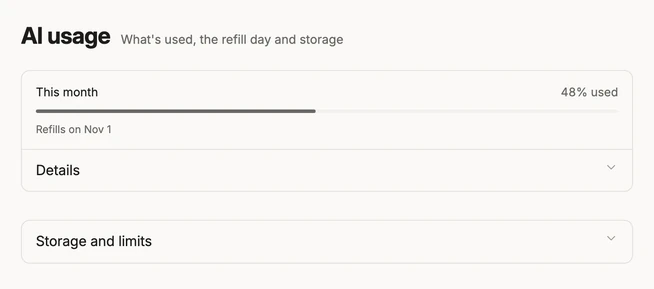
AI usage is a monthly share you can see in Settings, with a heads-up at 50, 75 and 90 percent and a way to ask for more.
Latest from the blog.
Why your AI email assistant should ask before it sends
An AI email assistant that can send for you is useful right up to the first message it should not have sent. Here is how Atlas decides what to do alone and what to ask about.
· 6 min read
An AI workspace, not another chatbot
A chatbot is a box that answers. Work is a pile of places. What an AI workspace is, what it should include, and why Atlas puts documents, sheets, boards, mail and agents together.
· 6 min read
How to keep private data from AI: how Atlas Shield works
To help with real work, an AI model has to read real text, and real text is full of private details. How Atlas Shield swaps them for stand-ins first, what it hides, and what it cannot.
· 6 min read

Built by Ishan Srivastava
I built Atlas because my work was spread across a dozen apps and a chat window that forgot everything. Atlas is the workspace I wanted: one place where agents do the work, and nothing leaves without your yes.