Why your AI email assistant should ask before it sends
An AI email assistant that can send for you is useful right up to the first message it should not have sent. Here is how Atlas decides what to do alone and what to ask about.
An AI email assistant that asks before sending is the only kind worth trusting with your inbox. A draft is harmless: you can read it, change it or throw it away. A sent email is different, because it is out of your hands the moment it goes. That one difference is why Atlas asks before anything reaches another person, and this post explains how.
What is an AI email assistant?
An AI email assistant reads your mail, helps you understand it and does part of the work of answering it. In Atlas that means three things. It reads the mail you allow. It drafts replies in your words. And it turns an email into a task or a calendar event, with your OK. You choose what to connect, and you can disconnect Gmail at any time in Settings.
What makes it an assistant rather than a risk is where the work stops. Reading and drafting are safe. Sending is not, because the result lands in someone else's inbox. So the useful question is not whether an AI can send email. It is who decides, and when.
Is it safe to let AI send email for you?
It can be, if the rules sit in the right place. A rule written into a prompt is a request, and a cleverly worded message can talk a model out of a request. In Atlas the level of every action is checked by the server before the action runs. When you tap Approve, the server signs your yes, and the tool that would act checks the signature and refuses without it. No agent can raise its own level or approve for you.
That matters because the biggest risk with AI agents is not bad writing. It is an agent doing more than you meant it to do. Security groups call this excessive agency, and it is one of the items on the OWASP list of risks for applications built on large language models. The answer is to limit what an agent may do and to make the consequential steps wait for a person.
How does Atlas decide what to do alone and what to ask about?
Every action has one of four levels.
- Does it. Reads your calendar and mail. Sets a reminder. Looks things up.
- Does it, then tells you. Moves a task. Adds an event only you are in. Each one comes with a receipt and Undo.
- Asks you first. Email to anyone else and invites with guests, unless you gave a standing yes for that job. Anything else it cannot take back.
- Never. Paying or buying for you. Deleting anything for good.
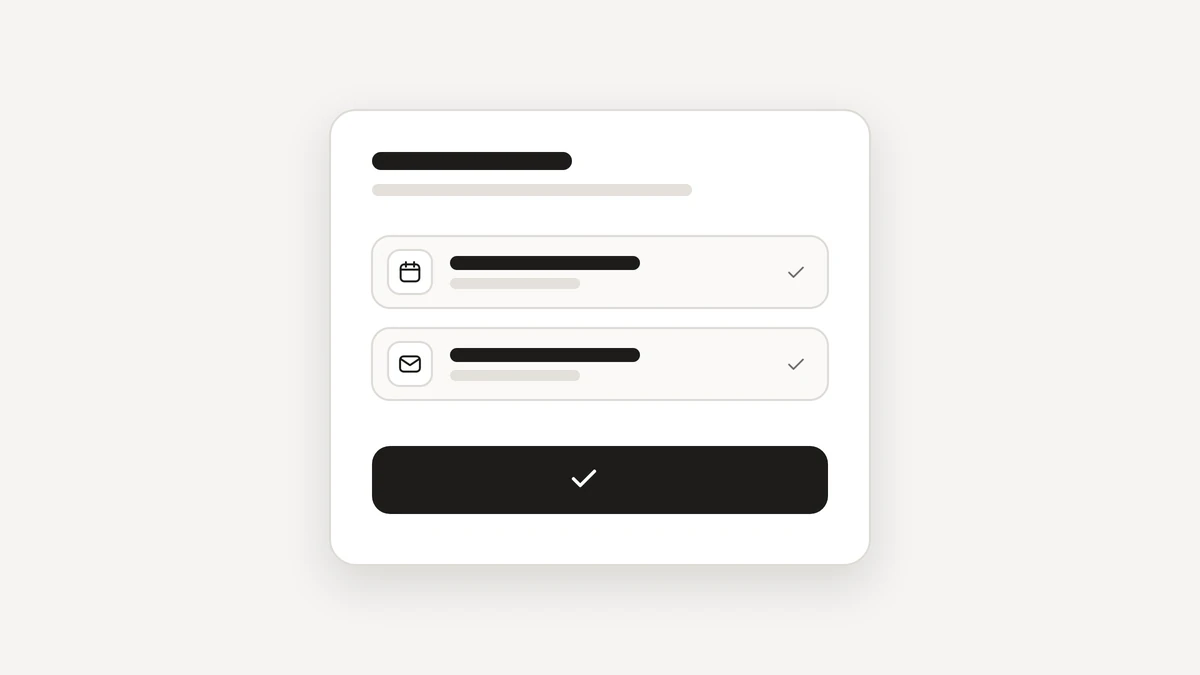
The first two levels are the small things that only you see, and each leaves a receipt in Activity. The third is where an email to another person lives. The card shows what will be sent and to whom, in the words it will use, and you answer with Approve, Edit or Not now.
What is a standing yes, and how do limits work?
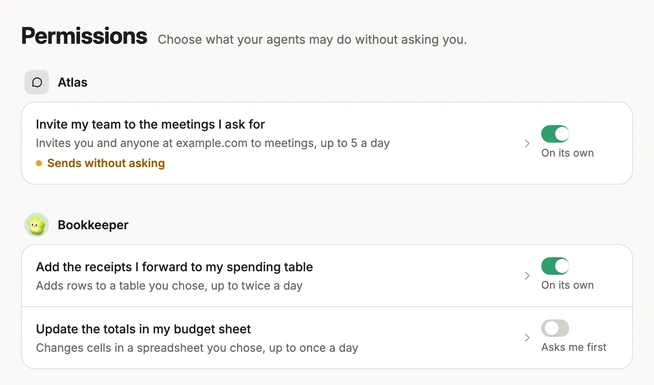
Asking every time gets tiring for a job you trust, such as a daily summary sent to yourself or a weekly reminder to a colleague. For that, you can give an agent a standing yes. It is a permission for one named job, inside limits such as who the agent may reach and how many messages a day, and it lasts until you end it.
- Giving more asks for your code. Taking it back never does.
- The server checks every rule again before each use.
- Every use leaves a receipt, and sends under a standing yes show in amber, so you always know.
- Agents cannot change their own permissions. They are all listed on one page, with a switch between On its own and Asks me first.
Start with a short, narrow standing yes and widen it only when the receipts show the agent doing what you expected. The Trust page has the exact rules.
What happens if you do not answer, or the AI gets it wrong?
If you do not answer an approval card, nothing is sent. The card closes after 10 minutes, and you can ask Atlas to try again. If a check cannot be made, the step does not run. When in doubt, nothing leaves.
If the assistant gets something wrong before you approve it, you edit it or say Not now, which costs nothing. If it gets something small wrong after the fact, such as a moved task, Activity has an Undo next to it. A sent email is the one thing that cannot be taken back, so that is where the asking is strictest.
How do you start with an AI email assistant safely?
- Connect Gmail and choose what Atlas may read.
- Ask for drafts first and read every one before you approve it.
- Let an agent turn mail into tasks, which are small and can be undone.
- Add a standing yes only for one named job, with a low daily limit.
- Check the receipts in Activity each week, and tighten or end anything that surprises you.
To see agents in action, look at how agents work in Atlas, or read about what an AI workspace is. Atlas is free during the private beta, and you can join the beta.
Questions
Is it safe to let AI send email for me?
It is safe when the product asks before anything reaches another person, shows you exactly what will be sent, and checks your yes before it acts. A standing yes for one named job, with limits, is a reasonable step after that.
Can an AI email assistant send without asking?
In Atlas, email to anyone else asks first, unless you gave a standing yes for one named job, with limits such as who it may reach and how many a day. You can end a standing yes any time.
What happens if I ignore an approval request?
Nothing is sent. A card you do not answer closes after 10 minutes, and you can ask Atlas to try again.
Can I undo an email that was sent?
No. A sent email cannot be unsent, which is the reason the assistant asks first. Small changes, such as moving a task, have an Undo.