An AI workspace, not another chatbot
A chatbot is a box that answers. Work is a pile of places. What an AI workspace is, what it should include, and why Atlas puts documents, sheets, boards, mail and agents together.
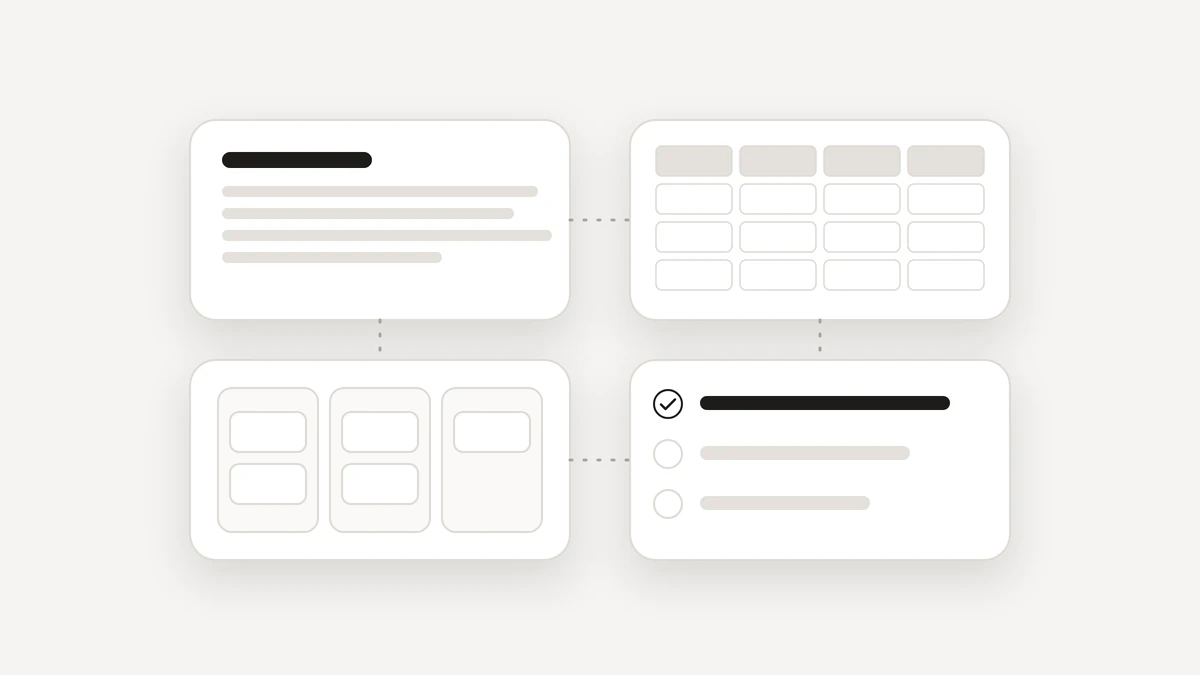
An AI workspace is a place where your documents, spreadsheets, boards, calendar and mail sit side by side and AI agents work inside them. It is the opposite of a chat window you copy answers out of. Think about the last piece of work you finished. It probably touched a document, a spreadsheet, a calendar, an inbox and a to-do list. The answer was rarely the hard part. The hard part was the doing, and that is the job an AI workspace is built for.
What is an AI workspace?
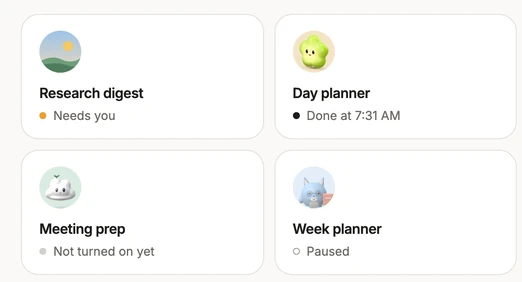
In plain words: one workspace, with the tools you already use for work, and agents that can read and change them for you. In Atlas that means Docs, Notebook, Sheets, Boards, Tasks, Calendar and email in one place, plus chat, Atlas apps and agents. You describe a job once, and an agent with a name, a picture and a schedule does the legwork across all of it.
People also call this an all-in-one AI workspace. The words matter less than the test: when the AI finishes, is the result a change in your own files, or a block of text you still have to carry somewhere?
How is an AI workspace different from a chatbot?
A chatbot is good at answering. Ask a question in a conversation and you get an answer, a draft or an idea back. But an answer in a chat window still has to be carried somewhere by you: copied into the document, pasted into the spreadsheet, retyped into the email. The assistant sits beside your work instead of inside it.
An AI workspace turns that around. The assistant works in the same documents, sheets and boards you do, can look at your calendar, and drafts in your inbox. You see what changed, and you have a way back for what can be undone. If you only want a quick answer, brainstorming or writing help, a chat assistant such as ChatGPT is simple and fast. If you want a ChatGPT alternative for work that ends in your own files, look at what Atlas puts in the workspace.
What should an AI workspace include?
- Places to work. Docs, a notebook, spreadsheets and boards, so an agent has somewhere real to put its results.
- Your day. Tasks and a calendar, with tasks you can plan into free time.
- Your mail and calendar. Connections you choose, such as Google Calendar and Gmail, that you can disconnect any time.
- Agents on a schedule. A job you describe once that repeats every morning or every Friday.
- Control. Approvals before anything reaches other people, receipts for what was done, and Undo.
- Privacy. A way to hide private details before the AI sees them, and a way to export or delete your data.
You can see each of these on the Product page, with screenshots from the real app.
How do agents fit into an AI workspace?
An agent is a job you describe once, for example: every Friday, chase the invoices I have not been paid for. Atlas fills in most of the setup as you talk and asks only what it cannot guess. Then it tries the job out on last week before anything runs for real. An agent keeps its schedule when you close the page, and each run keeps a trace of what it did. If something temporary goes wrong, it is retried. If it keeps failing, it is parked with a plain explanation and a suggested fix, instead of failing silently.
Atlas also remembers small facts you tell it, such as a birthday or a preference. They sit in one list you can search, edit and delete. Things it picked up from emails or pages wait for your OK before they count, and passwords and card numbers are never kept.
Is an AI workspace safe to use for real work?
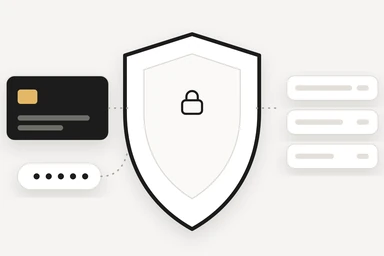
It has to be, because it touches real files and real mail. Anything that reaches other people asks first, or follows a standing yes you gave for one named job. A card you do not answer closes after 10 minutes with nothing sent. Atlas Shield hides cards, bank numbers, passwords and keys before anything goes to the AI model. And Atlas has no ads and never sells or shares your data.
None of this is unique to one product, so it is worth asking any AI workspace the same questions. The NIST AI Risk Management Framework is a good neutral place to see how organisations think about trustworthy AI. For Atlas, the full rules are on the Trust page.
Should you switch to an AI workspace?
Switch if your work spans several places and you are tired of carrying answers between them. Stay put if one tool already covers your needs. If you are weighing a Notion AI alternative, look at whether you want AI help inside pages, or agents that do recurring work across documents, calendar and mail with approvals built in. The honest answer depends on how you work.
Atlas is in private beta and free while it lasts. If an AI workspace sounds like what you want, join the beta, and read why an AI email assistant should ask before it sends to see how the control side works.
Questions
What is an AI workspace?
An AI workspace is a place where your documents, spreadsheets, boards, calendar and mail sit side by side, and AI agents can work inside them, instead of living in a separate chat window.
Is an AI workspace a ChatGPT alternative?
It can be, for work. A chat assistant is built to answer in a conversation. An AI workspace is built so that the answer ends up as a change in your own files, calendar or inbox.
Is an AI workspace a Notion AI alternative?
It depends on what you need. If your team lives in shared pages and databases, staying there is reasonable. If you want agents that do recurring work across documents, calendar and mail, with approvals built in, an AI workspace such as Atlas is built for that.
Is Atlas free?
Atlas is free during the private beta. If that ever changes, you will hear it from us first.